College canteens during rush hour are pure chaos. Students are shouting orders over each other, and the vendors are scrambling to track inventory and payments. Most digital solutions force users through clunky, multi-step menus just to order a coffee.
Before integrating the NLP chatbot layer (which became CanMan), we built the core full-stack platform called FreeRaj. The goal was to eliminate rush-hour ordering friction and give vendors visibility into real demand patterns. We then extended that foundation into AskCanMan, where users could place orders in natural language. The combined system won 2nd Place at HACKMITWPU.
The Architecture & Recommendation Engine
Tech Stack
- > Backend: Python, Flask
- > Data Processing: Pandas, Scikit-Learn (Pickle)
- > NLP Layer: NLTK, FastText embeddings, custom Intent Classifier
- > Frontend: HTML/CSS/JS + Chart.js / D3.js
- > Database: MongoDB
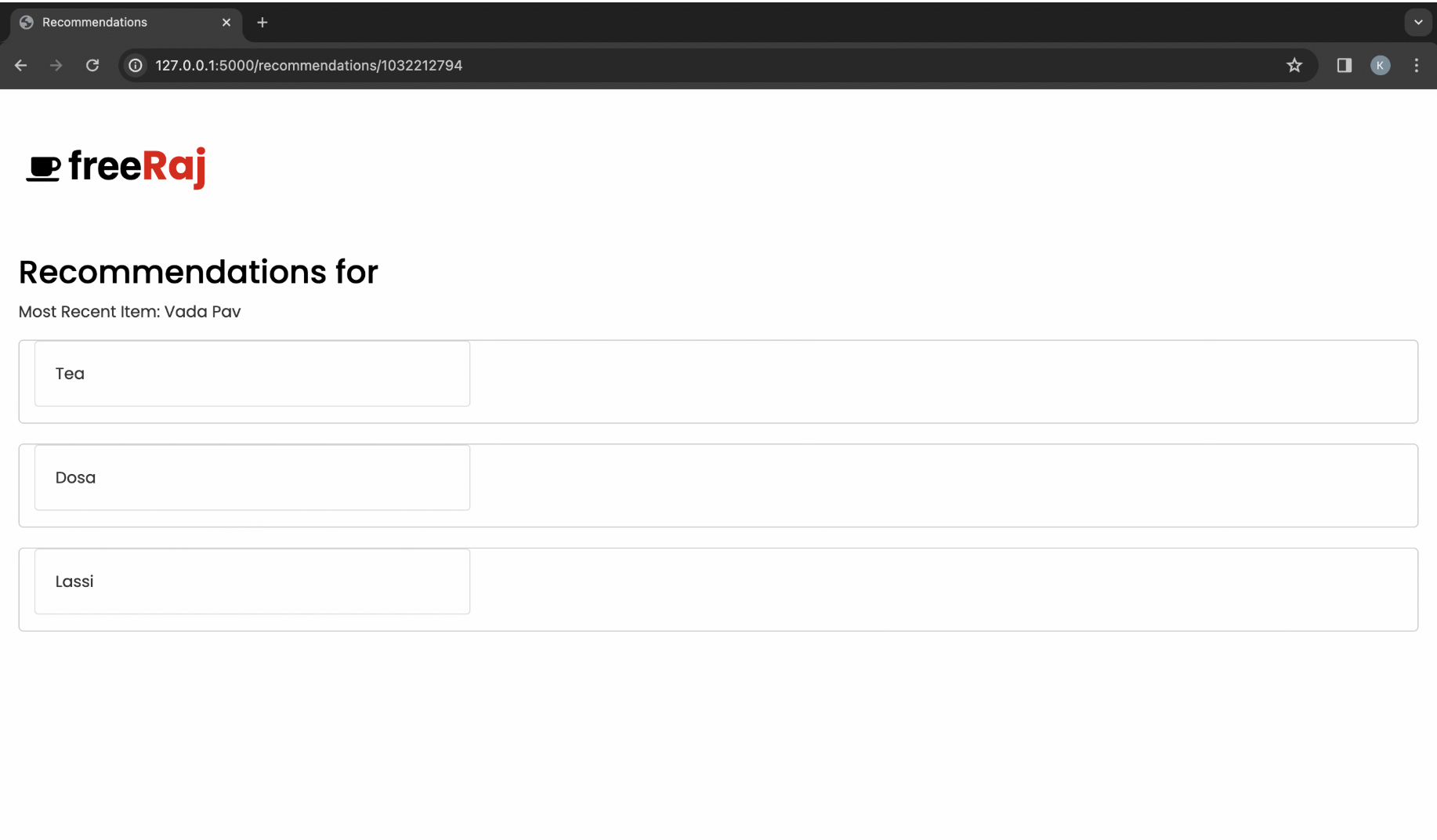
To increase average order value, we developed a recommendation module (canteen_food_recommend.py) that suggests complementary items in real time. By processing historical order matrices and user rating tables, the system identifies item correlations; if a student adds Vada Pav, the engine can suggest high-probability add-ons like Cold Coffee or Tea.
Vendor Analytics
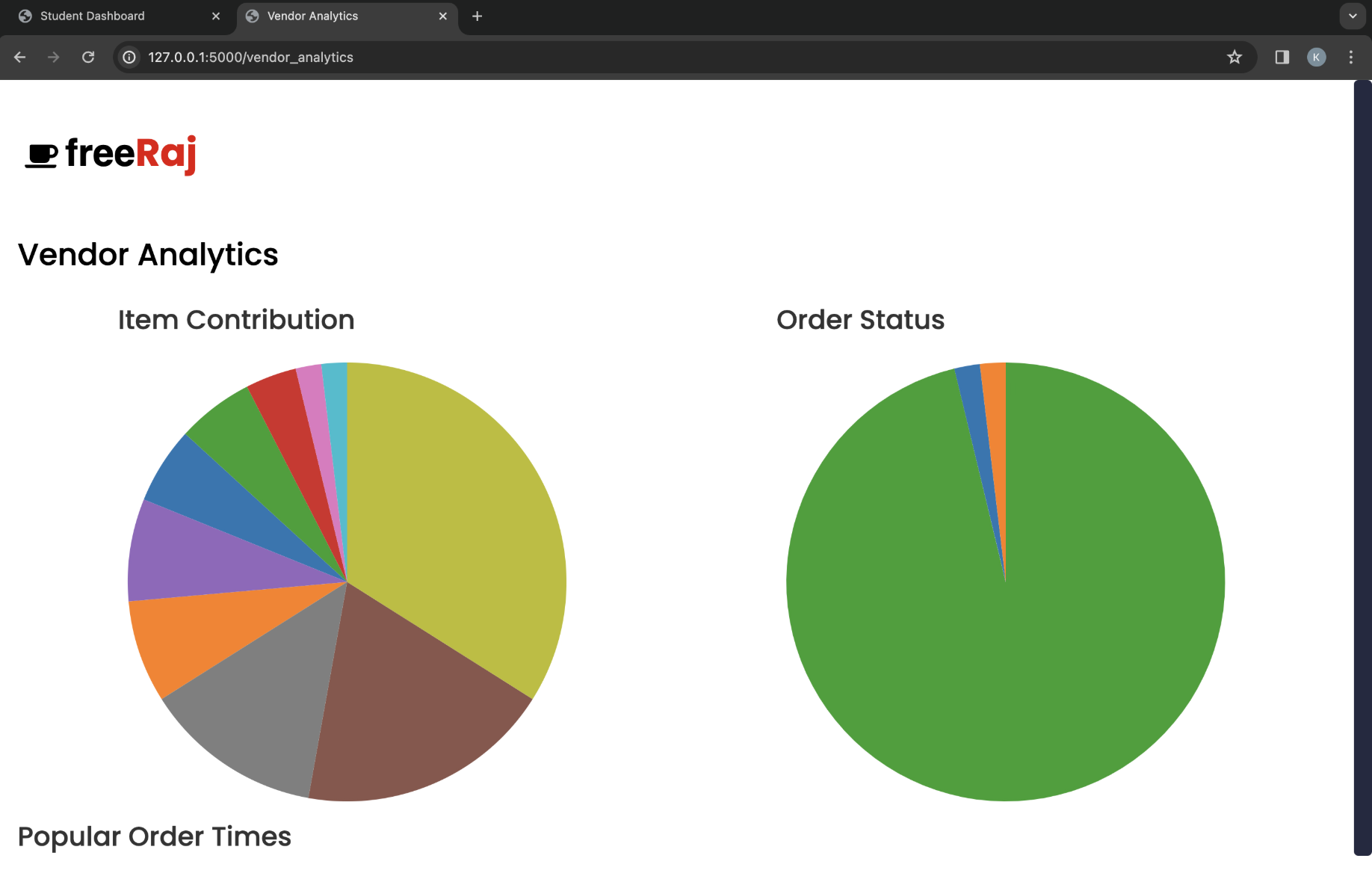
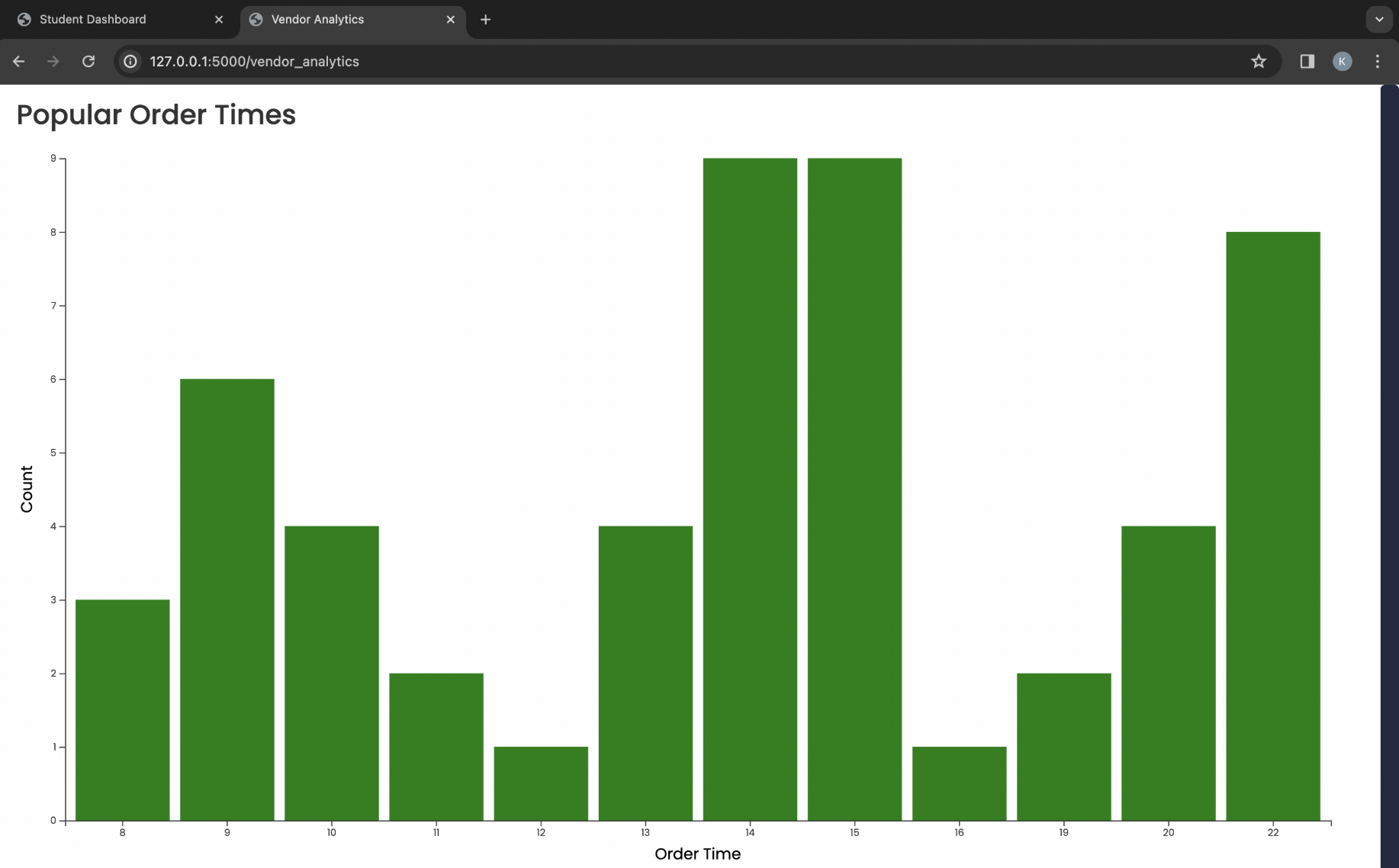
A smart ordering system is useless if the kitchen cannot keep up. Alongside the student UI, we built a dedicated vendor dashboard with live analytics to track sales trends, spot fast-depleting inventory, and forecast next-day demand from historical order behavior.
CanMan NLP Layer
Building the chatbot was more than just hooking up an API. We built a custom pipeline to process raw, messy student input. The pipeline first passes text through a sentence_normalizer to clean slang and typos. Then, it uses FastText word embeddings to map the normalized string into vector space.
From there, a custom intent_classifier determines whether the user is asking for a menu, checking a cart, or placing an order. If it is an order, entity extraction pulls exact quantities and items, structures them into JSON, and writes to MongoDB through the Flask API.